wait the way you edited this is actually insane 🔥 how long did it take??
Y
Liked by creator
3dReply
24.3K
View 1 reply
Y
youCreator
haha thank you!! maybe 2 hours 😅
3dReply
891
N
noah_t
saving this immediately
2dReply
512
Add comment...
For parody, memes and creative use. Don’t impersonate real people or fake endorsements. Terms
Examples · tap to use
Use the TikTok comment generator to make realistic images in seconds. Customize the username, verified badge, likes, replies and dark mode, then download a clean PNG — type your own comment or let the writer suggest one.
How it works
How the TikTok comment generator works
The TikTok comment generator runs in three steps, all in your browser — the comment image never leaves your device.
S
sarah_k
how long did this take to edit?? 🔥
2dReply
73
01
Write the comment
Type a username and the comment text. Set the like count and timestamp, and the live preview updates as you type.
S
Pinned
sarah_k
how long did this take to edit?? 🔥
Y
Liked by creator
2dReply
1.2K
View 1 reply
Y
youCreator
haha about 3 hours 😅 worth it
1dReply
88
02
Make it look real
Add the blue verified badge, pin the comment, drop in a reply, and mark it liked by the creator — the details that sell the screenshot.
M
mike.420
first one here, this is going viral 🙌
5hReply
89.1K
03
Download the PNG
Export a high-resolution, watermark-free PNG with a transparent background, then drop it straight onto your video.
The output
Comments made with the TikTok comment generator
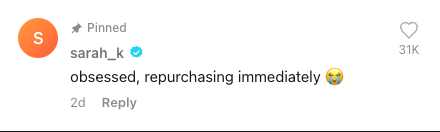
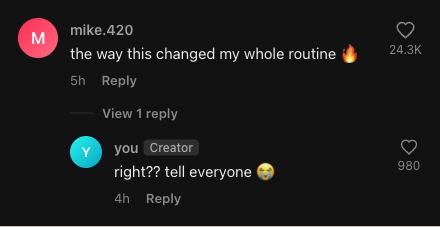
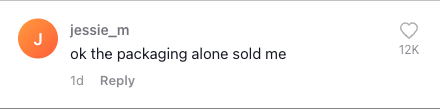
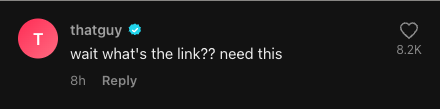
Every card here is a real TikTok comment generator export — light and dark, pinned, verified and threaded, exactly as the app renders them.
Use cases
Who uses the TikTok comment generator
From storytime hooks to client decks, the fake comment maker fits anywhere a believable comment sells the story. Need a different app? The Instagram comment generator covers Reels and posts. Planning the profile around a launch image? The Instagram grid maker splits it into numbered profile tiles, while the Facebook comment generator recreates FB posts with reactions and the Author label — same fidelity. Making gaming edits? The Geometry Dash comment generator rebuilds the in-game level comment, completion percent and mod badge included. Just need the “replying to a comment” hook sticker? The TikTok reply generator exports it transparent, ready to drop on your video. Stuck on what the comment should say? Start from one of the TikTok comment reply templates — 24 hooks that already work, one click into the editor. Dropping the comment onto a video? The CapCut comment overlay guide walks through the pop-up effect, timing and safe zone step by step.
J
jordan
replying to this is your sign to try it
3hReply
42.1K
View 1 reply
Y
youCreator
okay storytime then 👇
2hReply
1.9K
Creators
Short-video hooks
Overlay a “replying to a comment” card on your TikTok, Reels or Shorts — the format that drives the strongest hooks on the platform.
N
notyouravg
the algorithm fed me this at 3am and I'm not okay 💀
1dReply
12.4K
Memes
Joke screenshots
Mock up a funny comment and stack a whole thread so the punchline lands exactly the way it would in the real app.
R
rae.builds
been using this for a month, genuinely works
4dReply
8.6K
Marketing
Social proof
Drop true-to-life comment mockups into ad creatives and client decks without screenshotting real, private accounts.
D
designsystem
saving this as a component immediately
6hReply
540
Design
UI placeholders
Use authentic-looking placeholder comments in mockups, tutorials and presentations that need a real social-media feel.
A
Pinned
ava.films
wait the lighting in this is unreal, what camera?
Y
Liked by creator
2dReply
24.3K
View 1 reply
Y
youCreator
shot it on my phone honestly 📱
1dReply
1.2K
Built to match
Why this TikTok comment generator looks real
Most free comment makers stop at a username and a line of text. The TikTok comment generator includes these editable screenshot details:
✓Pixel-matched blue verified badge
✓Heart icon + TikTok’s 1.2K / 1.2M like formatting
✓Pinned tag and the Creator label
✓“Liked by creator” mini-avatar heart
✓Nested reply threads with their own avatars
✓Light and dark theme to match any video
Every one of those details is measured in the anatomy of a TikTok comment guide — font, sizes, badge color, like rounding and the dark-mode tokens.
Comparison
TikTok comment generator vs a basic comment maker
Plenty of free tools make a comment. Here is what changes when the details have to read as a real TikTok screenshot.
Basic comment makerTikTok comment generator
Verified badgeText onlyPixel-matched blue check
Reply threadsSingle commentNested replies with avatars
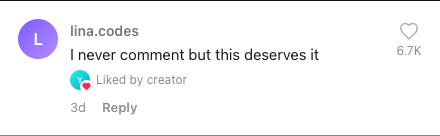
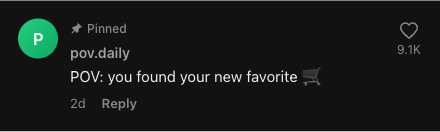
A TikTok comment generator turns a username and a line of text into an image that looks just like a real comment from the app. Instead of screenshotting a live comment section — which means exposing real accounts and waiting for the right comment to appear — you build the exact comment you want and export it as a clean PNG. That image drops straight into a video, a thumbnail, a carousel or a slide. ¿Hablas español? Usa el generador de comentarios de TikTok en español.
Short-video creators reach for a fake TikTok comment most often. The “replying to a comment” format is one of the strongest hooks on the platform, and it depends on a comment that reads as genuine. With this TikTok comment generator you can write the comment that sets up your punchline, mark it as pinned, give it a believable like count, and even show it as liked by the creator — the small details that tell a viewer the comment is real. For IG posts and Reels, try the Instagram comment generator instead. ¿Prefieres español? Prueba el generador de comentarios de Instagram en español.
Check public channel facts, compare YPP thresholds and see which monetization details only the owner can verify in YouTube Studio.
TikTok comment generator replies and pins
Real conversations on TikTok happen in reply threads, so the TikTok comment generator lets you add replies under any comment, complete with their own usernames, avatars and like counts. You can also stack several comments into a single image to recreate an entire comment section — ideal for “reading the comments” videos where the whole thread is the content. Pin a comment to the top and add the Creator tag to mark the video’s author, exactly as the app does.
Write it yourself, or let AI help
You stay in control of the words. Type your own comment for full control, or describe your video in the TikTok comment generator to suggest realistic lines you can drop into the preview and tweak. Either way the result is the same editable comment image — the AI is there to help you think of something to say, not to take over. Need more AI suggestions and HD bulk exports? Upgrade to Pro for 1,000 AI writes/month and ZIP batch downloads.
Free, private and watermark-free
Every option in this fake TikTok comment generator is free, including the high-resolution and transparent-background exports. There’s no account to create and no watermark stamped across your download. Because the rendering happens in your browser, the comments you write and any profile pictures you upload stay on your device. Every export lands in your files — revisit or re-download anytime; sign in to keep them across devices. Use the TikTok comment generator responsibly — mock comments are great for memes, storytelling, mockups and teaching, but they shouldn’t be used to impersonate real people, fake endorsements or spread misinformation.
Questions
TikTok comment generator FAQ
Is this TikTok comment generator free?
Yes. The TikTok comment generator is completely free. You can customize the username, avatar, verified badge, likes and replies, then download the image with no watermark and no account.
Does the comment image have a watermark?
No. The TikTok comment generator exports clean PNG files with no watermark, so you can use the TikTok comment in videos, thumbnails, slides or social posts.
Can I add a verified badge and a profile picture?
Yes. Toggle the blue verified badge on or off, upload your own profile picture, or choose a preset avatar to make the fake TikTok comment look authentic.
Can I create replies and a full comment section?
Yes. The TikTok comment generator lets you add reply threads under a comment and stack multiple comments into one image to recreate an entire TikTok comment section in a single download.
Does the generated comment work in light and dark mode?
Yes. Switch the preview between TikTok’s light and dark themes so the comment matches the look of the video or post you are placing it in.
Do I need a TikTok account or any login?
No. The TikTok comment generator runs in your browser. You do not need a TikTok account, an email or any signup to create and download a comment image.
What can I use a fake TikTok comment for?
The TikTok comment generator is useful for storytime and reaction videos, memes and jokes, marketing mockups, UI design placeholders, tutorials and presentations. Use it responsibly and avoid impersonating real people or spreading misinformation.